
Visualize Program Execution Paths in Real Time
Track exactly what is executed and where it happens.
Monitor behavior in real time and quickly pinpoint the source of any issue.

Monitor Logs in Real Time — Even Remotely
Centralize and monitor logs from multiple remote PCs in real time.
Ideal not only during development but also for use in production environments.

Efficiently Analyze Large Volumes of Logs
Filter, color‑code, search, and extract logs with ease.
Instantly access the information you need from massive log datasets.

Easy to Adopt, Simple to Integrate
A Lightweight and Streamlined Tool
Effortlessly integrate with the dedicated SDK.
Start real‑time logging immediately.
News & Information
- The Q&A has been updated.(2026-02-15)
 One additional question has been added. Q. When running the C# sample program Sample_SetCustomCategory and selecting “2” in the select API menu...
 - ZIP Package Version Now Available
 We have released a ZIP package version that can be used without installation.It is recommended for those who want to try the app easily or prefer not to modify their system environment. Click here to go to the download page.
 - Logging Foot v.1.1.0.2 Released!
 The free version of Logging Foot v.1.1.0.2 is now available on the Microsoft Store.You can visit the store page here. We have started providing an MSI installer. You can download it here.” Logging Foot v.1.1.0.2 Release Note Feature Improvements
What is Logging Foot?
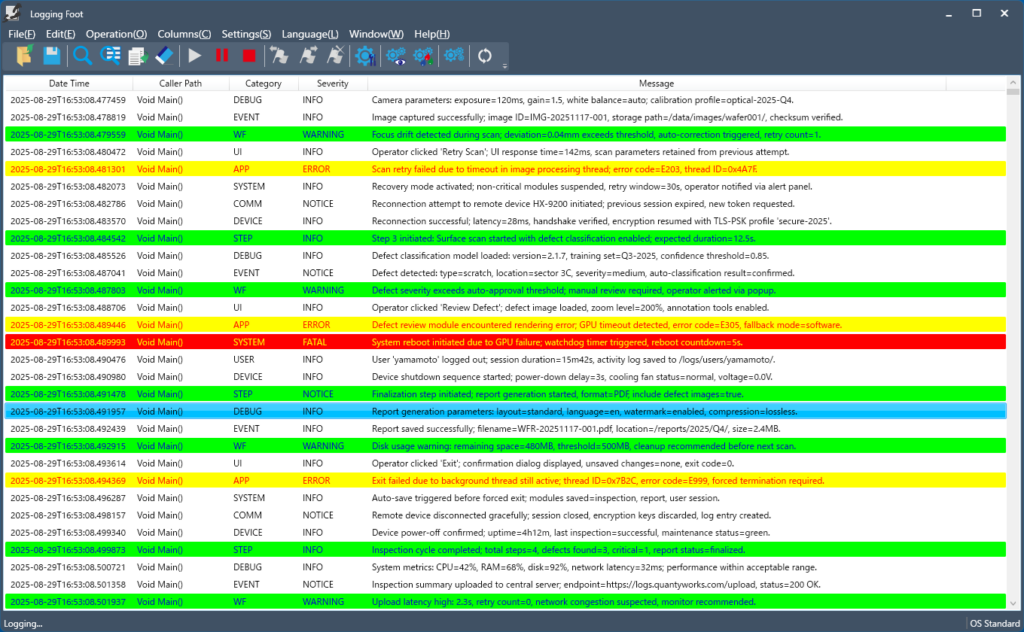
Logging Foot is a lightweight logging tool that visualizes program execution logs in real time by integrating its dedicated SDK.
Traditional logging solutions tend to be feature-heavy, highly integrated, and expensive to deploy. They often require complex configuration and even training to use effectively.
In contrast, Logging Foot is a simple, developer‑friendly tool that can be introduced and integrated at no cost. Developers can begin using the SDK immediately after installation, and real‑time logging can be started in just one or two quick steps.
Note: Logging Foot is available exclusively for Windows environments.
Key Features
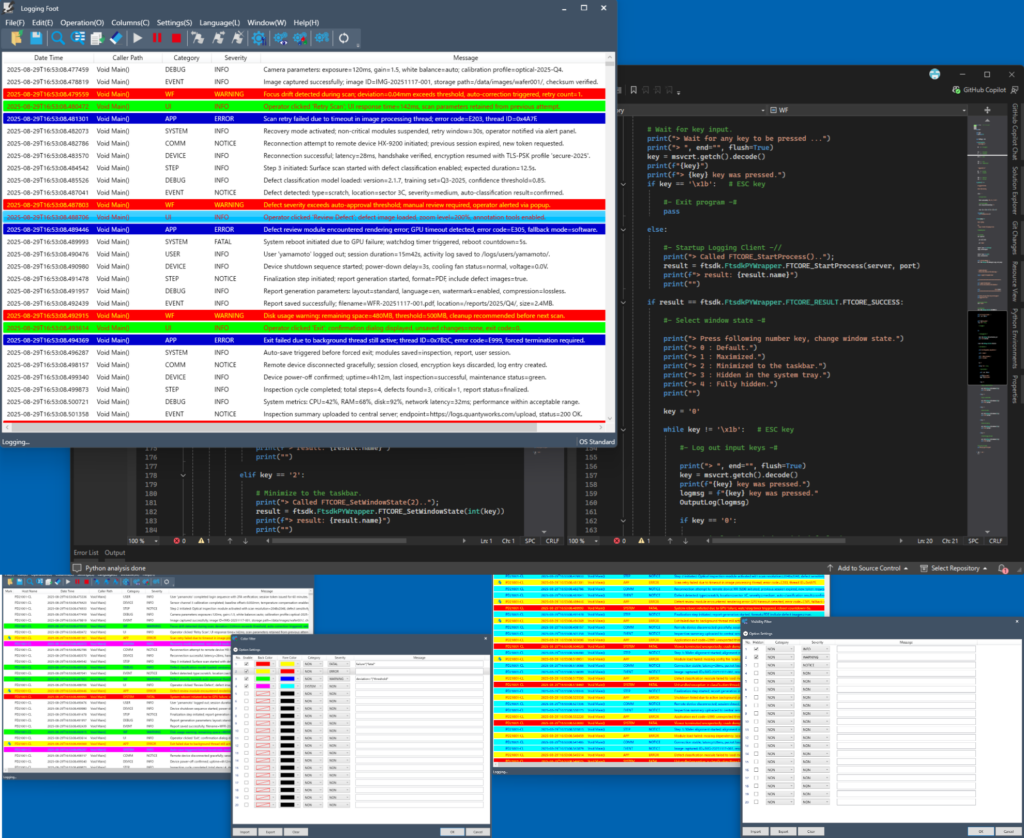
- Log output functionality via dedicated SDK integration
- Real-time log display
- Log search and filtering
- Color-coded log highlighting
- High-speed display even with large log volumes
- Log saving and loading in CSV or proprietary format
- Support for log output from remote PCs
- English and Japanese UI support
- Easy setup with comprehensive documentation
- Simple SDK integration with sample programs included
The Value of Logging

Logs are the most reliable way to understand what is happening inside a program.
When properly designed and embedded, logs reveal execution paths, user actions, and even early signs of unexpected behavior or anomalies.
By regularly collecting and analyzing logs, developers can monitor the overall health of their applications, identify usage patterns, and uncover clear insights that guide improvements for future releases.