
A developer’s job is not limited to writing code.
Sometimes it involves digging through massive piles of logs to identify the source of an issue — a task that can be mentally and physically exhausting. When logs have no consistent format and span tens or even hundreds of thousands of lines, analyzing them as plain text or by pasting them into a spreadsheet becomes extremely inefficient and consumes an enormous amount of time.
Highlight Key Logs with Color‑Coded Filters
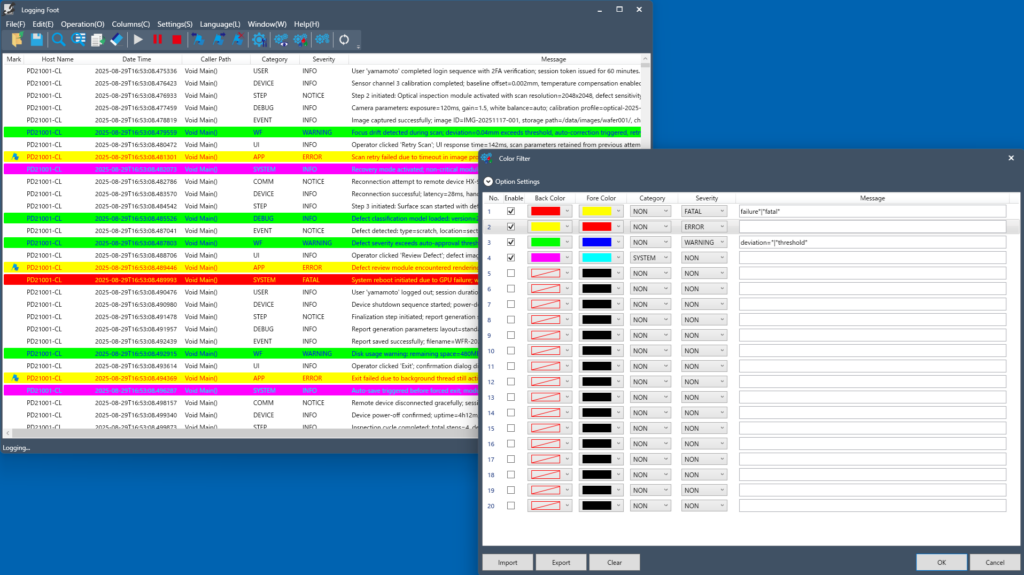
By specifying conditions, you can highlight matching log lines using custom background and font colors.
Emphasizing important logs with color makes it easy to grasp their content and significance in real time.
You can also save and load your color‑coding rules, allowing you to start analysis with the same settings at any time. By preparing multiple rule sets—such as for development or maintenance—you can switch between them and streamline your workflow for different scenarios.
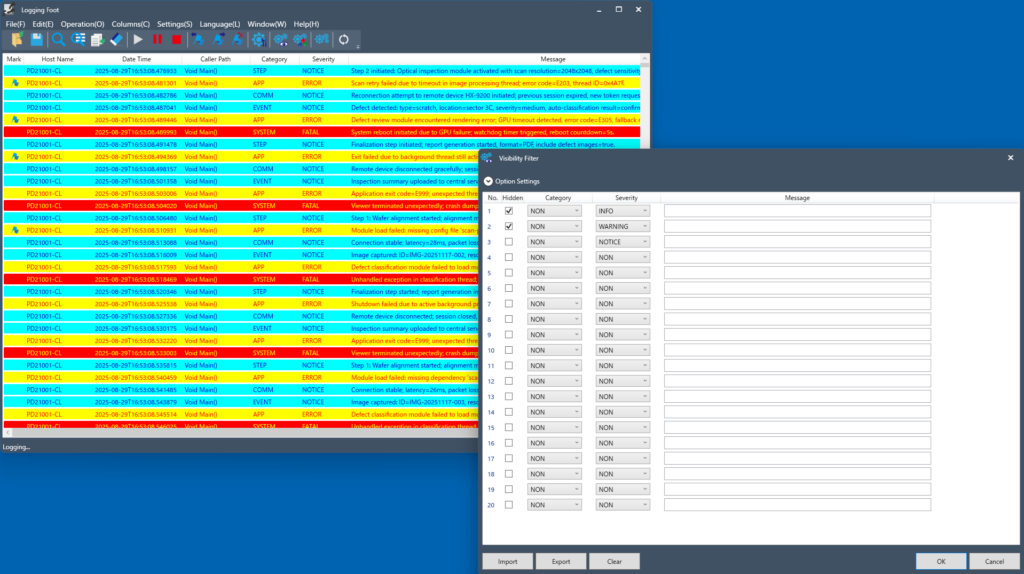
Focus Your Analysis with Hidden Filters
You can specify conditions to hide log entries that match them. By filtering out logs that are clearly normal or unrelated to an issue, you can significantly reduce the amount of data you need to analyze.
Just like color‑coding filters, the conditions for hidden filters can also be saved and loaded.
Extract Key Logs with Search Filters
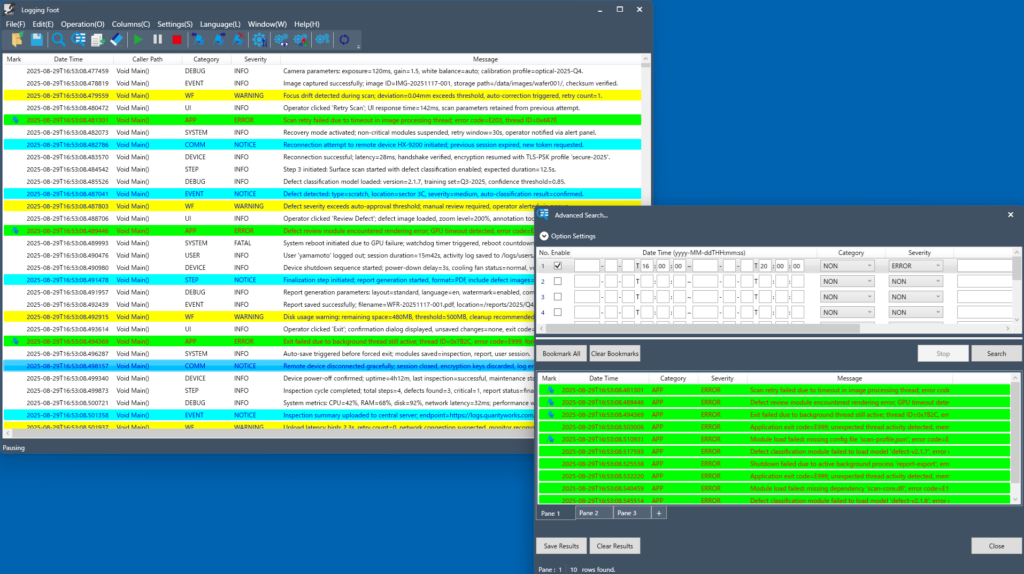
You can specify conditions to extract all matching log entries in a single batch. The extracted results can be saved in CSV format or in a dedicated format, allowing you to reload them later for further analysis from different perspectives. This makes it easier to zero in on the root cause of an issue.