
Please submit your questions using the form below.
Depending on our review, your question may be published in the Q&A section.
Q & A – Sorted by Newest
-
When running the C# sample program Sample_SetCustomCategory and selecting “2” in the select API menu, an error
FTCORE_ERR_CLIENT_PARAMETERoccurs.(2026-02-15_01)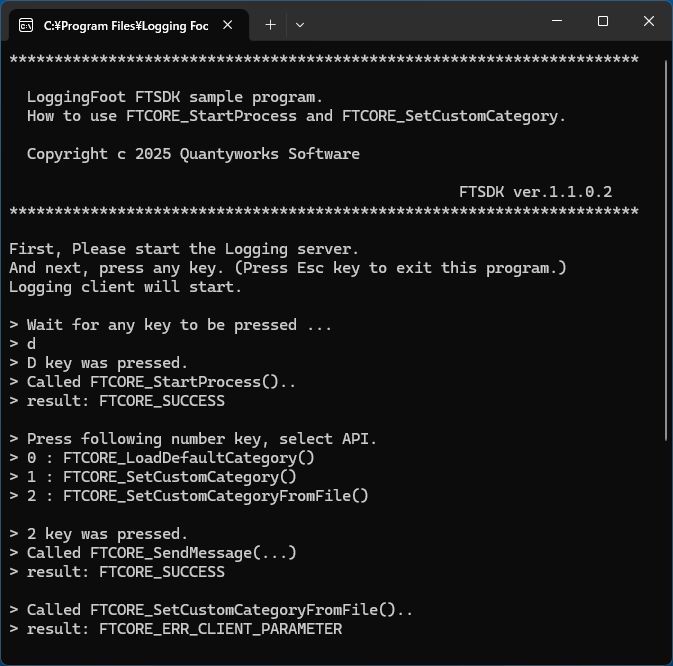
-
This issue occurs because the custom category definition file, CustomCategory_Sample.catdef, is not present in the execution directory of Sample_SetCustomCategory.exe.
This behavior is not limited to C#; it also occurs in the Cpp, Cpp_StaticLib, and VB sample programs.
Copy CustomCategory_Sample.catdef fiie from the following path into the execution directory of Sample_SetCustomCategory.exe to resolve the issue:C:\Program Files\Logging Foot\sample\Python\Sample_SetCustomCategory\
-
When launching the viewer app, an error appears and no logs are generated.
(2026-02-08_02)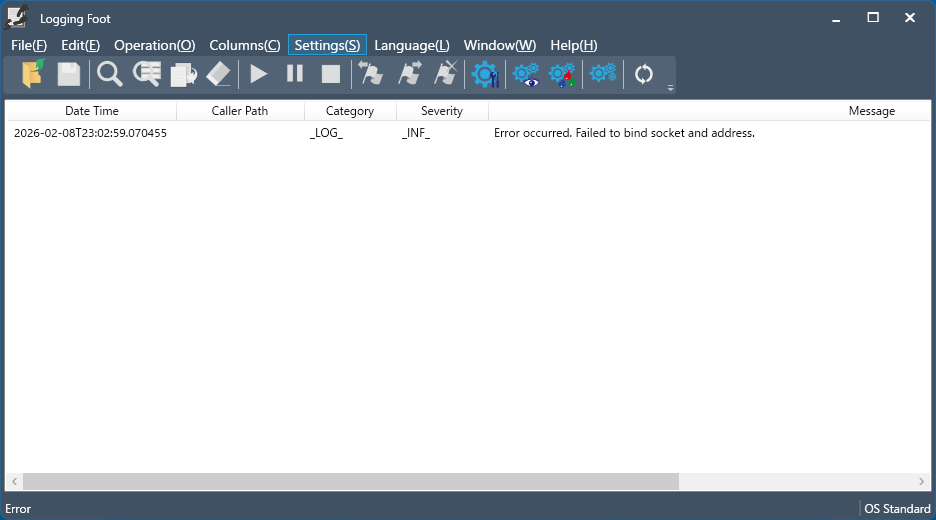
-
It is possible that a process from the previously launched viewer app is still running.
Please open Task Manager, terminate all “Logging Foot” processes, and try again.
In the current version (1.1.0.1), closing the app with methods such as Alt + F4 may not shut it down correctly, leaving the process running.
To exit properly, please use the “Exit Application” option in the menu or click the “×” button in the upper-right corner of the window.
-
When the display scaling is set to 150%, launching the viewer app causes the window’s title bar to appear outside the screen, making the window impossible to operate.(2026-02-08_01)
-
We apologize for the inconvenience.
The current version (1.1.0.1) does not support display scaling above 100%. Support for higher scaling settings is planned for the next release.
If the window becomes unusable, please set the display scaling to 100%, and the window will return to its normal size.
-
When calling the logging-start API, a log such as “Logging Server accepted request.” is output. Is it possible to suppress this output?
(2026-01-25_02) -
Yes, it’s possible.
This message is shown because internal logs are configured to be output to the viewer. Internal logs have categories or severities enclosed in underscores, such as _LOG_.
If you uncheck Enable logging view in the General Settings → Internal Event Log Settings section, these logs will no longer appear.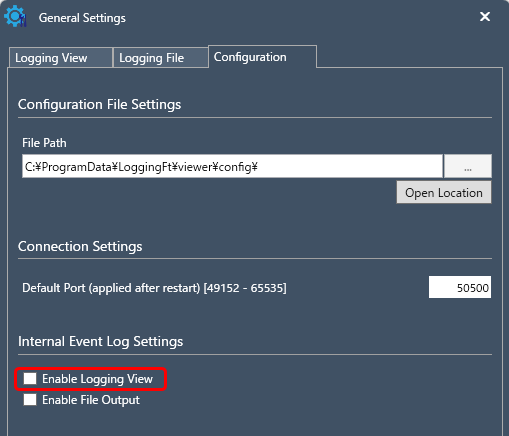
-
There is no Python wrapper.
C:\Program Files\Logging Foot\ftsdk\wrappers
(2026-01-25_01)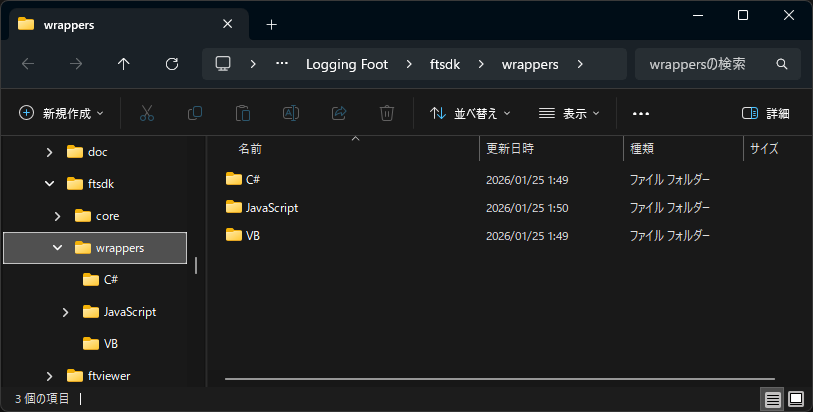
-
The Python wrapper is located here:
C:\Program Files\Logging Foot\sample\Python\ftsdk\src\FtsdkPYWrapper.py
It will also be included in C:\Program Files\Logging Foot\ftsdk\wrappers in the next version.
-
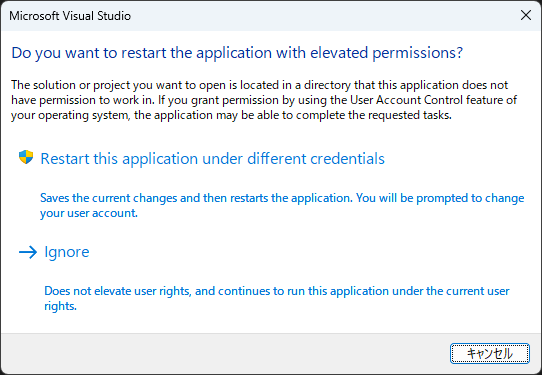
When you open the sample program’s Visual Studio solution, you may see a message saying “Do you want to restart the application with elevated permissions ?” (2026-01-19)
-
This occurs because the sample program is placed under Program Files.
The Program Files directory is normally write‑protected, but Visual Studio attempts to create temporary files when opening the solution. As a result, Windows requests elevated permissions.You can resolve this by following the prompt to restart with elevated permissions, or by copying the sample program to a location that does not require special access rights.